
A fluxograma processo de vendas, or sales process flowchart, is a visual map of your customer's journey. It charts every step from the first contact to a signed contract. Think of it as the blueprint for your sales engine. It standardizes your team's approach to ensure every lead receives the same high-quality experience.
Why Most Sales Flowcharts Fail
Many sales flowcharts are created in a single meeting, saved as a PDF, and then forgotten. They become rigid, static diagrams that do not reflect the reality of B2B sales conversations. This is where good intentions break down and processes fail.
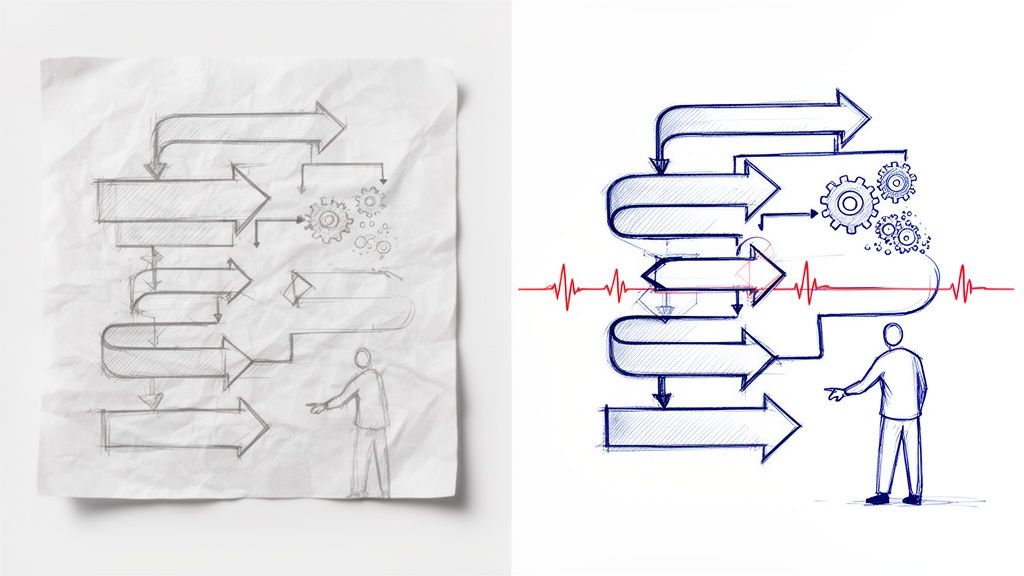
These flowcharts fail because they are treated as standalone documents, not as a living part of the sales workflow. Your CRM pipeline stages become misaligned with the flowchart. Your reps have different definitions of a "qualified" lead. Important insights from sales calls are never logged.
This creates a gap between the process you designed and what your team actually does.
The Problem with Static Diagrams
A static flowchart cannot keep up with the real-time flow of a deal. It shows a perfect, linear path, but sales is rarely linear. This leads to common problems:
Inconsistent Stage Definitions: If one rep’s "Qualified" is another's "Initial Contact," your pipeline data is unreliable. Without clear criteria for each stage, forecasting becomes a guess.
The CRM Update Lag: A rep has a great call with clear next steps. The notes are not logged in the CRM for hours or even days. This delay means your pipeline visibility is not current.
Lost Context: Critical details from a conversation—a hesitation about budget, a mention of a competitor—are lost. The flowchart might say "Demo Completed," but the context of how the demo went is missing.
A traditional flowchart is a snapshot. A modern, dynamic one is a real-time feed of your sales activity. Automation connects the two.
Static vs. Dynamic Sales Flowchart
Characteristic | Static Flowchart (Traditional) | Dynamic Flowchart (Modern) |
|---|---|---|
Format | PDF, image, or presentation slide | Integrated into CRM workflows |
Updating | Manual process, rarely updated | Automatically updated with real-time data |
Execution | Relies on manual rep interpretation | Enforced through automated CRM rules |
Data Capture | Manual and often delayed or incomplete | Automated capture of meeting outputs |
Forecasting | Based on unreliable, lagging data | Based on accurate, up-to-the-minute data |
Outcome | Becomes an outdated, ignored document | A living guide that drives team efficiency |
A dynamic flowchart turns a forgotten diagram into an active guide. This makes your team more efficient and your forecasts more accurate.
In Brazil's competitive e-commerce market, where retail sales are projected to grow, an actionable fluxograma processo de vendas is essential. Sales managers who use structured processes report up to 40% faster CRM updates. They also reduce the manual entry errors that affect 30% of sales teams. You can find more data on Brazil's e-commerce growth on Statista.
A useful sales process flowchart is a living document. It should guide your team's actions and automatically capture the results, ensuring your CRM reflects reality.
This data-driven approach turns a simple diagram into a tool for revenue growth. The goal is to build a process that shows reps what to do and automates capturing deal information where they work.
Define Your Core Sales Stages and Milestones
A strong fluxograma processo de vendas maps the actual journey your customer takes. To build a process your team will use, define stages that reflect verifiable actions and milestones, not just abstract ideas. This turns sales theory into an operational roadmap.
The goal is to move beyond vague labels and focus on tangible outcomes. Each stage should represent a meaningful shift in your relationship with the prospect. For example, a stage called "Demo" is not descriptive. A better stage, like "Technical Deep Dive Completed," confirms a specific, value-driven event occurred.
From Vague Ideas to Concrete Stages
Here is a practical example for a B2B SaaS company selling project management software. Their first draft of a sales process might look like this:
Lead
Qualified
Demo
Proposal
Negotiation
Closed
This process seems logical but has gaps. What does "Qualified" mean? What specific outcome defines the "Demo" stage? A better process builds stages around what the buyer and seller accomplish together.
Here is a more concrete, action-based process:
MQL (Marketing Qualified Lead): A prospect downloads an e-book or starts a trial.
Initial Discovery Call Held: A sales rep holds the first conversation, confirms a basic fit, and books a follow-up.
Problem-Solution Fit Confirmed: The rep identifies the prospect's pain points and maps them to the software's features.
Technical Deep Dive Completed: The prospect’s technical team sees the product and confirms it meets their requirements.
Proposal Walkthrough Delivered: The rep presents a formal proposal and walks the decision-maker through pricing and ROI.
Verbal Commitment Received: The decision-maker gives a verbal "yes" to move forward, pending final reviews.
Contract Sent for Signature: The final agreement is with the prospect's legal department.
This structure tells a clear story for every deal. Each stage is a real accomplishment, not just a label.
Establish Non-Negotiable Exit Criteria
For your flowchart to be reliable, every stage needs clear entry and exit criteria. These are the rules that govern when a deal can move to the next stage. This discipline removes ambiguity and ensures everyone follows the same process.
The strength of your sales process is determined by the clarity of its exit criteria. If a rep can advance a deal based on a "good feeling," your forecast is unreliable.
Using our SaaS example, here is a checklist of exit criteria for the "Problem-Solution Fit Confirmed" stage:
Pain Points Identified: At least two specific business pains are documented in the CRM.
Decision-Maker Mapped: The key people in the decision process are identified and their roles noted.
Budget Confirmed: The prospect has confirmed they have a budget for this type of solution.
Without these items checked, the deal cannot be moved to the "Technical Deep Dive" stage in the CRM. This rule enforces discipline and improves data quality.
Pinpointing these critical decision gates—like "Budget Confirmed" or "Security Review Passed"—turns your fluxograma processo de de vendas from a vague guide into a reliable forecasting tool. It becomes about documented proof, not a salesperson's optimism.
Turn Your Flowchart Into Actionable CRM Rules
A flowchart on a whiteboard is a good start, but it needs to live inside your Customer Relationship Management (CRM) system. Translate the logic of your sales process flowchart into the operational rules of your CRM, such as HubSpot, Salesforce, or Pipedrive.
This step turns your process from a passive document into a proactive guide for your sales team. The goal is to make your CRM enforce the process you designed. This removes guesswork and ensures every rep follows the same proven path.
Map Stages to Your CRM Pipeline
First, create or edit a pipeline in your CRM so its stages perfectly mirror the ones you defined. If your flowchart has a stage named "Initial Discovery Call Held," your CRM pipeline needs a stage with that exact name. This one-to-one mapping is essential for clarity.
Once your stages are set up, you can enforce the rules for how deals move from one stage to the next.
This simple flow shows a typical B2B sales cycle from an initial chat to a formal proposal.
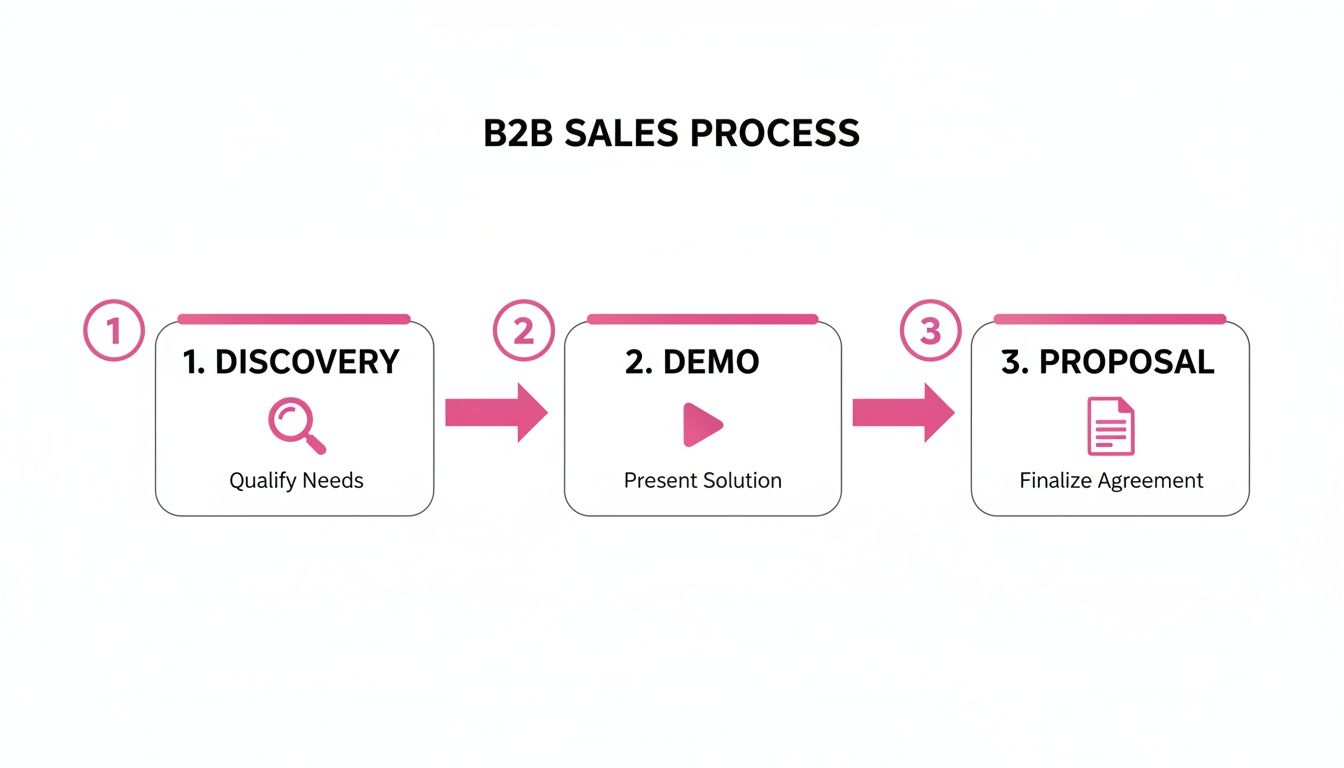
Each of these steps is a major milestone. Each one requires specific information and actions before a deal can advance.
Enforce Rules with Required Fields
This is how you make your flowchart effective. Most CRMs let you make certain fields mandatory before a deal can move to the next stage. This is the primary mechanism for ensuring your exit criteria are met. It is not about micromanaging; it is about building a foundation of quality data.
Here is a practical example of required fields for stage transitions:
To move from "Initial Discovery" to "Problem-Solution Fit Confirmed":
Required Field:
Primary Business Pain Point(Text field)Required Field:
Decision-Making Process(Text field)Required Field:
Budget Range Confirmed(Dropdown: Yes/No/Not Discussed)
Without this information filled out, the CRM prevents the rep from advancing the deal. This simple guardrail can improve your pipeline's integrity. Getting this right is a key part of building an effective CRM for inside sales.
Your CRM should make it easy to do the right thing and hard to do the wrong thing. Required fields are your first line of defense against a messy pipeline and unreliable forecasts.
Set Up Simple Stage-Based Automations
Make your flowchart dynamic with simple automations that trigger when a deal enters a new stage. These workflows reduce administrative work for your reps and ensure important next steps are not missed.
Consider setting up automations like these:
When a deal enters "Proposal Walkthrough Delivered":
Action: Automatically create a task for the rep named "Follow up on proposal feedback," due in 3 days.
Action: Send an internal notification to the sales manager.
When a deal enters "Verbal Commitment Received":
Action: Automatically send a pre-approved introductory email from a template to the customer success team, starting the handoff process.
By building these rules, you turn your CRM from a passive database into an active partner. It guides your reps, enforces discipline, and automates tedious tasks, freeing them to focus on selling.
Use Automation to Keep Your Flowchart Honest
Even the best fluxograma processo de vendas can fail because of manual data entry. Your reps are great at selling, but they are not full-time administrators. The gap between a sales call ending and the CRM being updated is where good processes fail.
This is the biggest challenge for any sales process. Valuable context gets lost, next steps are forgotten, and the data your team relies on becomes unreliable. Automation is the only practical way to bridge this gap and keep your process accurate.
Modern tools can act as an extension of your team, ensuring details from every conversation make it back to your system of record without manual work.
How an Automated Workflow Operates
An AI assistant, like Samskit, can automatically join your sales calls on Zoom, Google Meet, or Microsoft Teams. It actively listens and transcribes the conversation in real time.
While your rep focuses on the customer, the assistant works in the background to identify important moments. It pinpoints key details like the buyer's needs, objections, budget constraints, and action items.
After the call, the old process involved the rep spending 30 minutes writing notes and updating fields. Now, the assistant prepares a draft CRM update. It maps all captured information directly to the correct fields in your CRM, aligning with the stages and rules you built.
The goal of automation is not to replace salespeople. It is to eliminate the administrative work that keeps them from selling, ensuring your flowchart reflects reality, not just intentions.
This change frees your team from hours of admin each week and ensures the crucial context from every meeting is captured perfectly and consistently. Your sales process immediately becomes more reliable.
Practical Example: Capturing a Critical Objection
Here is how this works in a real deal.
During a demo, a prospect says, "This all looks great, but that price point is higher than our Q3 budget allows." In a manual process, this critical information might be summarized in a notes field or forgotten completely.
With an automated system, this budget objection is instantly flagged.
The AI assistant can be configured to recognize this as a key deal risk. In its post-call summary, it would highlight this objection and could even tag the deal in the CRM with a "Budget Risk" flag.
This gives everyone, from the sales manager to the RevOps team, immediate and accurate insight into the deal's health. The information is based on the customer's actual words, not a rep's interpretation. You can see how an AI meeting assistant can become a core part of your dream team and put this into practice.
This type of automation turns your flowchart from a theoretical map into a real-time, data-rich dashboard. Without clear, reliable systems, 66% of sales audiences disengage. Structured pipelines that sync with the CRM reduce this because the next steps are always clear.
This data integrity is why automated flowcharts are essential for scaling B2B revenue. For more information, you can discover more insights about B2B engagement on yavendio.com.
Turn Your Flowchart into a Coaching and Forecasting Tool
A great sales flowchart does more than guide reps. It becomes a data-generating machine. When your process is clear and information is captured automatically, you have powerful ways to coach your team and forecast revenue with confidence. This shifts deal reviews from being about a rep's feeling to being driven by evidence.
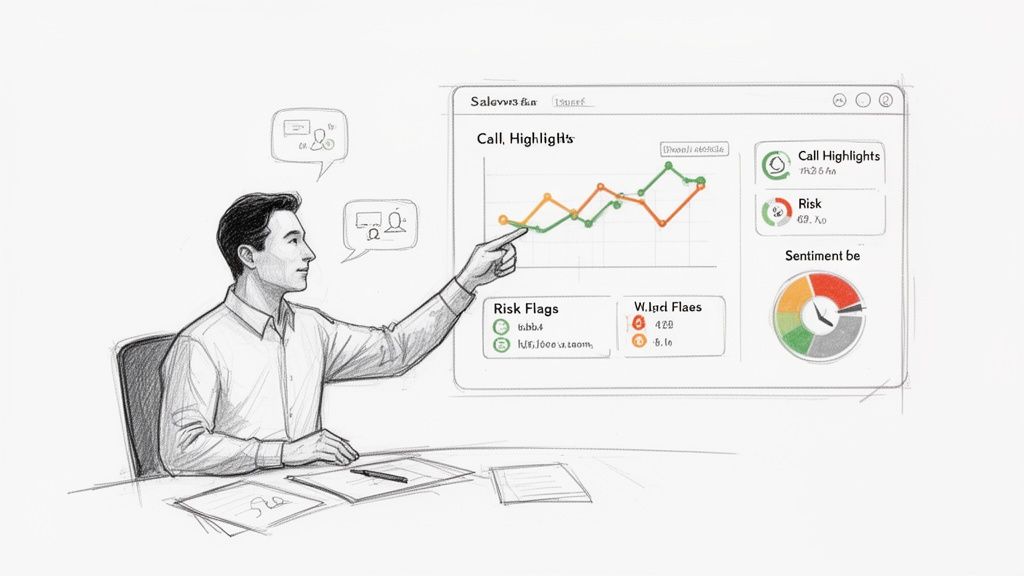
For your next coaching session, instead of asking, "How did the call go?", you can pull up key highlights from the conversation. You can review the exact moment a buyer raised a concern or analyze their tone when discussing price. This data gives you an objective view of a deal's health.
Evidence-Based Coaching That Works
When your fluxograma processo de vendas is backed by automation, coaching becomes specific and actionable. You can focus on the moments that matter.
Identify Real Risks: Did the prospect hesitate when you discussed implementation? Was a competitor’s name mentioned? Automation can flag these moments so you and your rep can build a strategy to address them.
Decode Buyer Language: Review transcripts for key words. Are buyers saying "we" and "when"? This shows ownership. If they use "you" and "if," they are keeping their distance. This subtle shift is a strong buying signal.
Check for Commitments: Quickly verify if clear, concrete next steps were agreed upon by the buyer. This keeps everyone accountable and maintains deal momentum.
When your CRM data is tied to verified actions from customer conversations, your pipeline reviews become faster, more accurate, and more productive.
Finally, a Forecast You Can Trust
Reliable forecasting is the ultimate goal of a well-executed sales flowchart. When every stage progression is linked to a verified action—like a budget being confirmed on a call—your forecast's accuracy improves dramatically. You rely on documented milestones, not a rep's optimism.
For sales managers, the analytics from your flowchart become a valuable asset. RevOps teams try to eliminate the manual updates that consume 20-30% of a seller's week. Tools like Samskit provide team analytics that power evidence-based reviews. This improves data accuracy and frees up your reps to sell.
This is especially important as the retail sector grows, where a structured sales process provides a competitive advantage. You can read more about Brazil's retail trajectory on fitchsolutions.com for market context. For a detailed guide on the numbers, see our article on using Power BI for sales forecasting.
A Smooth Handoff to Customer Success
The benefits continue after the deal is signed. Clean, structured data creates a significant downstream advantage. The handoff from sales to customer success is often where crucial context gets lost, leading to a poor start for a new customer.
A detailed history of every interaction means your CS team is not starting from scratch. They receive a full record of promises made, key business goals discussed, and any potential red flags raised during the sales cycle. This allows them to deliver value from day one, which leads to more efficient onboarding and better long-term customer retention.
FAQ: Your Sales Flowchart Questions Answered
Once you build your first fluxograma processo de vendas, the real work begins. Here are answers to common questions to help make your flowchart a core part of your strategy.
How often should we update this flowchart?
Think of your sales flowchart as a map. As the terrain changes, you need to update the map. It is not a one-time project.
Plan a formal review at least twice a year, or quarterly in a fast-paced industry. Certain events should trigger an immediate review.
Revisit your flowchart when you:
Launch a new product or service.
Enter a new market or sell to a new customer type.
Hear consistent feedback from the sales team about a specific stage causing bottlenecks.
If you see deals consistently getting stuck in one stage, that is a signal to investigate and fix the problem.
What is the biggest mistake when building a flowchart?
The biggest mistake is designing it without input from the reps on the front lines. A sales process designed only by leadership is often disconnected from how real conversations with customers happen.
When your team is not involved, they may see the process as just more administrative work. Build it with your best salespeople. Their real-world insights are essential for creating a process that works.
A sales process must be built with the people who will use it, not handed down to them. Collaboration is the key to adoption.
Can a sales flowchart be too simple or too complicated?
Yes. A flowchart that is too simple, like ‘Lead > Demo > Closed,’ is not useful. It provides no real visibility into what is happening or where deals are stalling.
A process with 20 different micro-stages will overwhelm your team with administrative tasks. They will spend more time updating the CRM than selling.
For most B2B sales cycles, five to seven core stages is the ideal range. The key is that each stage must have a clear exit criterion. It should be a simple "yes" or "no" question: did the prospect agree to the next step, or not? The goal is clarity, not complexity.
Ready to turn your sales process from a static diagram into a dynamic, data-driven engine? Samskit automatically captures critical insights from every sales call and syncs them to your CRM, keeping your flowchart and pipeline perfectly aligned with reality. See how it works.